Send form submissions to the right Slack conversation
Connect an AbcSubmit form to Slack so your team can see new submissions in a selected channel or direct message—and choose whether to send the complete entry, a focused message or JSON.
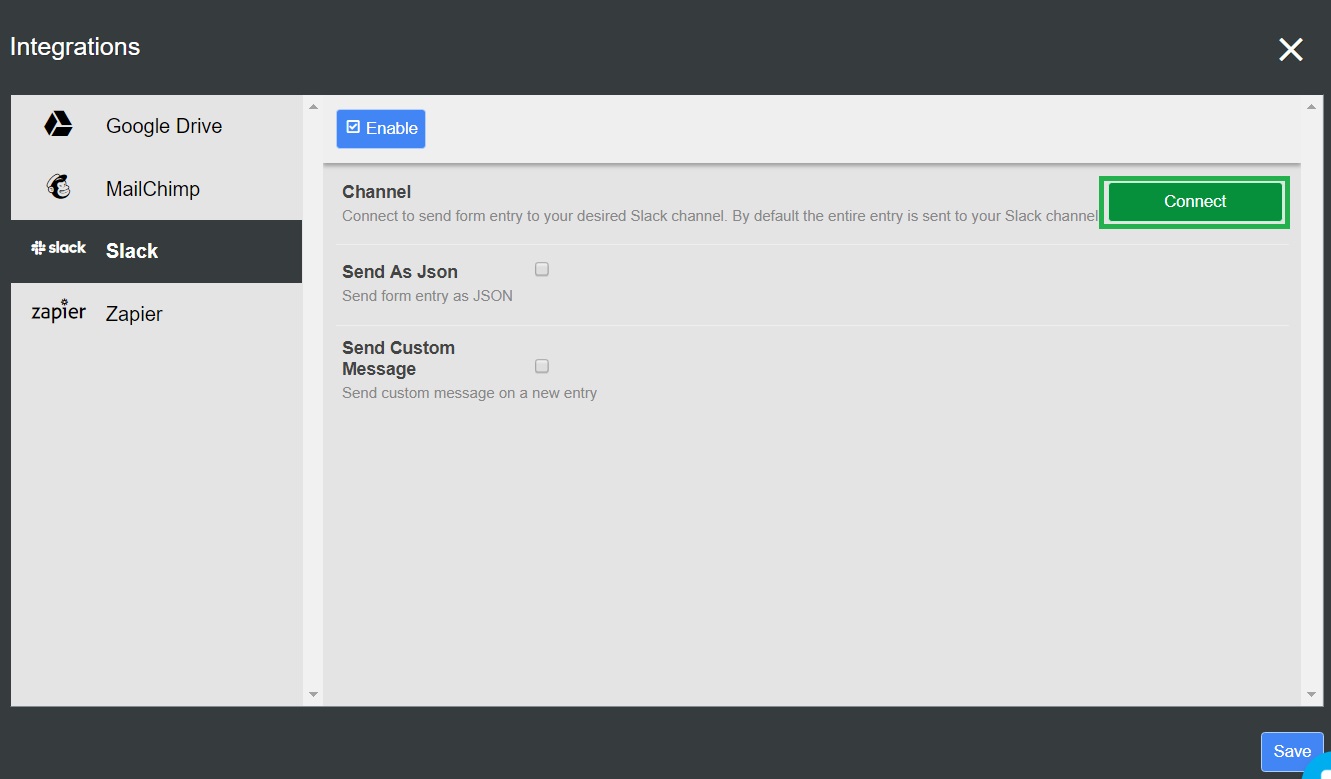
What the AbcSubmit Slack integration does
A Slack notification can shorten the time between a submission and the next human action. It is useful for lead alerts, support requests, incident reports, internal approvals and other forms that should become visible to a team quickly.
Entire entry
Useful when every submitted field is appropriate for the selected Slack destination.
Custom message
Best for concise alerts that include only the fields needed for triage and action.
JSON payload
Useful for technical review or structured downstream handling when raw field data is required.
How to connect an AbcSubmit form to Slack
Create or open the form
Sign in to AbcSubmit, open the form you want to connect, and submit a test entry first. A realistic test makes it easier to design the Slack message later.
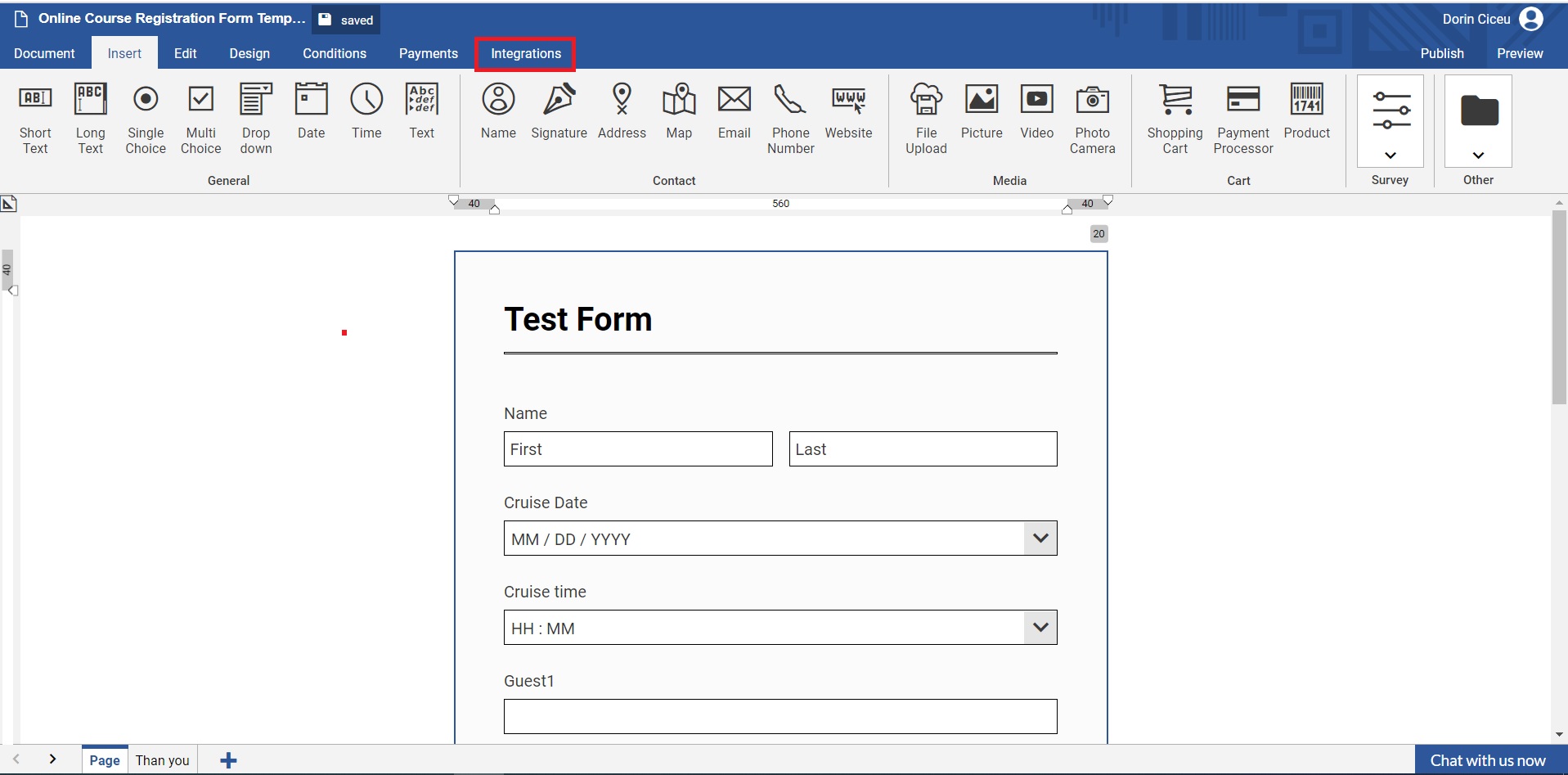
Open the Integrations area
From the form editor, open Integrations to see the available connections for that form.
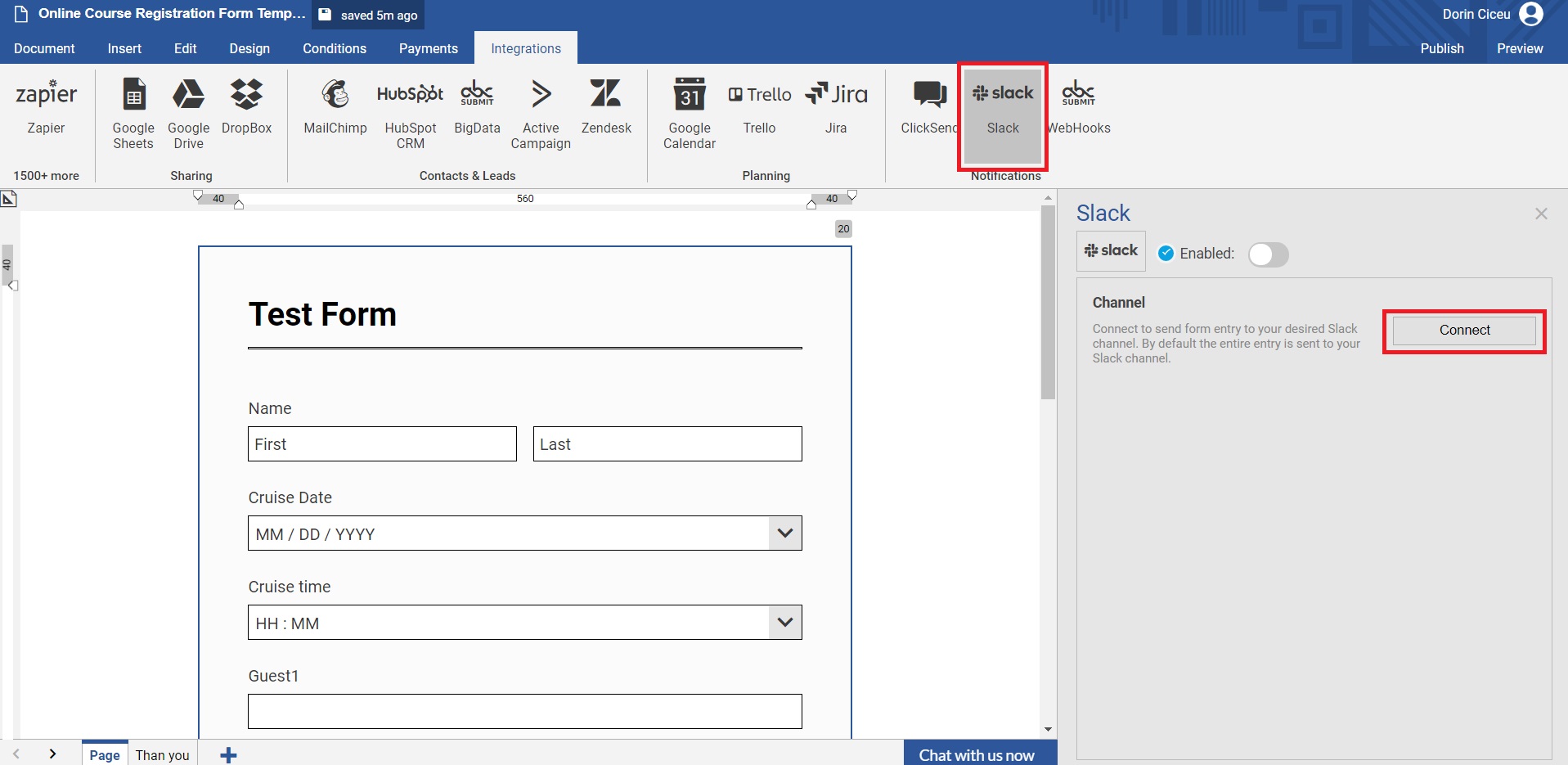
Select Slack and connect
Choose Slack, then select Connect. Slack will ask you to sign in if needed and review the requested authorization.
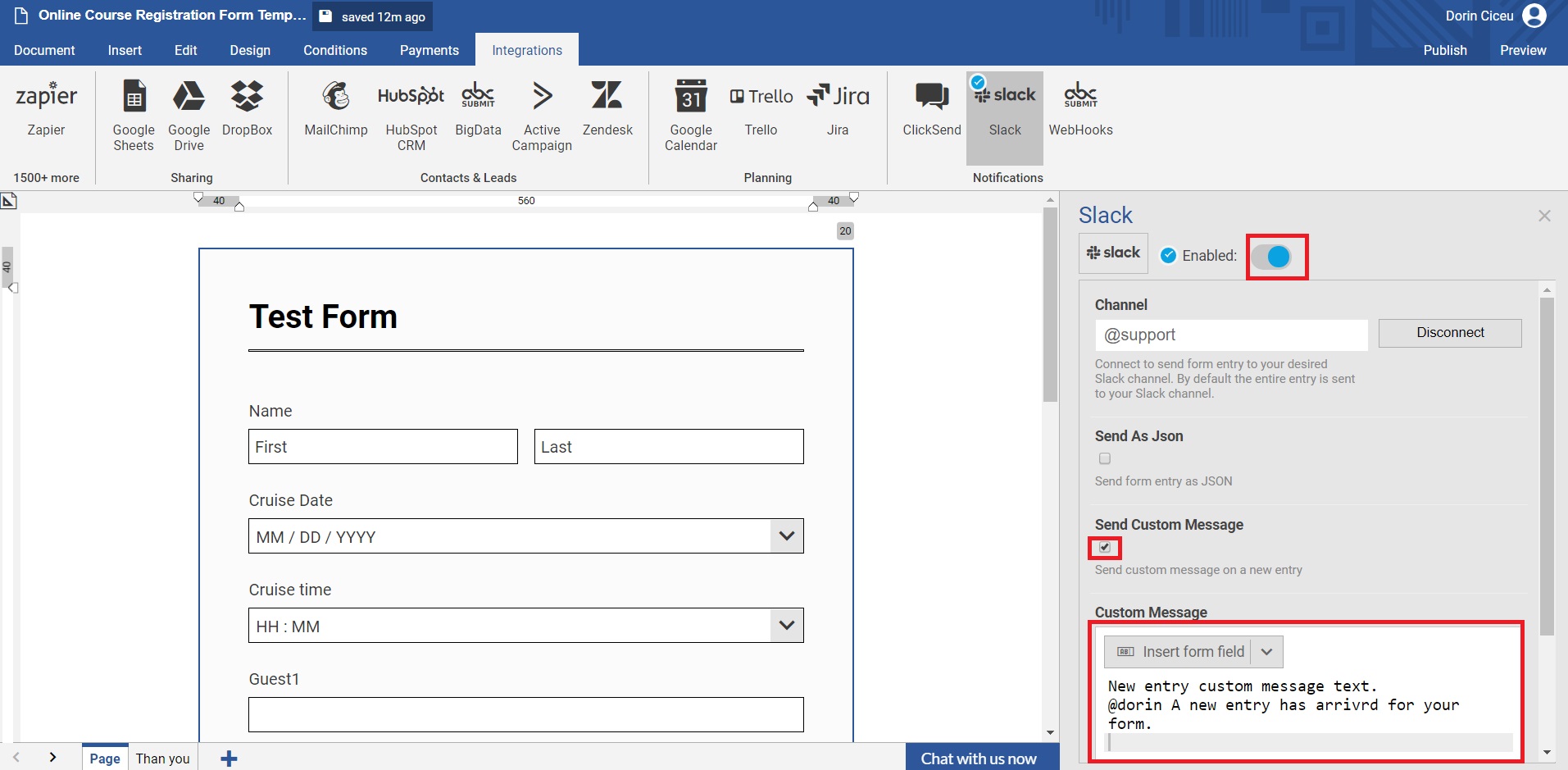
Choose the destination and format
Select the Slack channel or direct message. Choose the complete entry, a custom message or JSON. Use a private destination when the form contains restricted information.
Enable, submit and verify
Enable the integration, submit a fresh response and confirm that the message reaches the intended destination with the expected values and formatting.

Interface labels can change. The underlying flow remains: open the form integration, authorize Slack, choose a destination and test a new submission.
Write a Slack alert people can act on
A useful notification answers four questions: what happened, how urgent it is, who owns the next step and where the complete record can be reviewed.
Lead alert
Include company, use case, region and priority—not every marketing field.
Support request
Include category, impact, requester and entry link. Keep credentials out.
Approval request
Include the decision, amount or risk context, deadline and reviewer.
Choose the right message format
| Format | Use it when | Watch for |
|---|---|---|
| Entire entry | The form is short and every field is appropriate for the destination. | Long messages and exposure of private data. |
| Custom message | A person needs a concise summary to act. | Leaving out the entry identifier or important context. |
| JSON | A technical user needs structured output. | Poor readability for nontechnical teams. |
Good uses for form-to-Slack notifications
Qualified lead alerts
Notify sales when an inquiry meets defined criteria.
Urgent service requests
Surface high-impact submissions while routine requests follow the normal queue.
Operational exceptions
Alert a team when an inspection or order needs intervention.
Event registrations
Notify organizers about VIP or accommodation requests.
Content submissions
Send a review summary to an editorial channel.
Workflow milestones
Give a human team visibility alongside automation.
Privacy and channel hygiene checklist
- Send only the fields needed for the Slack action
- Use private channels for restricted information
- Never include passwords, access tokens or complete payment details
- Review channel membership and guest access
- Define who owns the next action
- Avoid duplicating alerts across noisy channels
- Test with fictional data first
- Review retention expectations in both systems
Troubleshooting Slack notifications
| Problem | What to check |
|---|---|
| No message arrives | Confirm the integration is enabled, submit a new entry and verify the destination. |
| Channel is missing | Check the authorized workspace, permissions and channel access. |
| Message is too long | Switch from the entire entry to a focused custom message. |
| A field is empty | Submit a test containing that value and review the field placeholder. |
| Too much data appears | Disable the connection until you configure a safer destination or message. |
AbcSubmit Slack integration FAQs
Can AbcSubmit send form entries to Slack?
Yes. A form can send submission information to a selected Slack channel or direct message.
Can I customize the Slack message?
Yes. Enable the custom-message option and include only the context your team needs.
Can AbcSubmit send a submission as JSON?
Yes. The Send As JSON option is intended for structured or technical use cases.
Should I send the complete form entry?
Only when every field is appropriate and the message remains readable. A custom message is usually safer.
Why is my Slack channel missing?
Verify the authorized workspace and whether the connection can access that channel.
Does a Slack alert replace a workflow?
No. Slack provides visibility; workflows can handle conditions, approvals, edits, timers and integration actions.
Feature references checked in September 2026. Availability can vary by plan, Slack permissions and future interface changes.
Connect your next form to Slack
Build the form, choose a focused destination and test a message that tells your team what to do next.